
Please note: the video, PDF guide, Excel files, screenshots and Gumroad sales pages are in French.
Your need, your deliverable
From the source document
to a usable result.
A sketch to redraw cleanly, a drawing to model or data to organise: choose the service that matches your need. Each one can be requested separately.
On quotation · Price, timeframe, deliverables and revisions defined before any payment
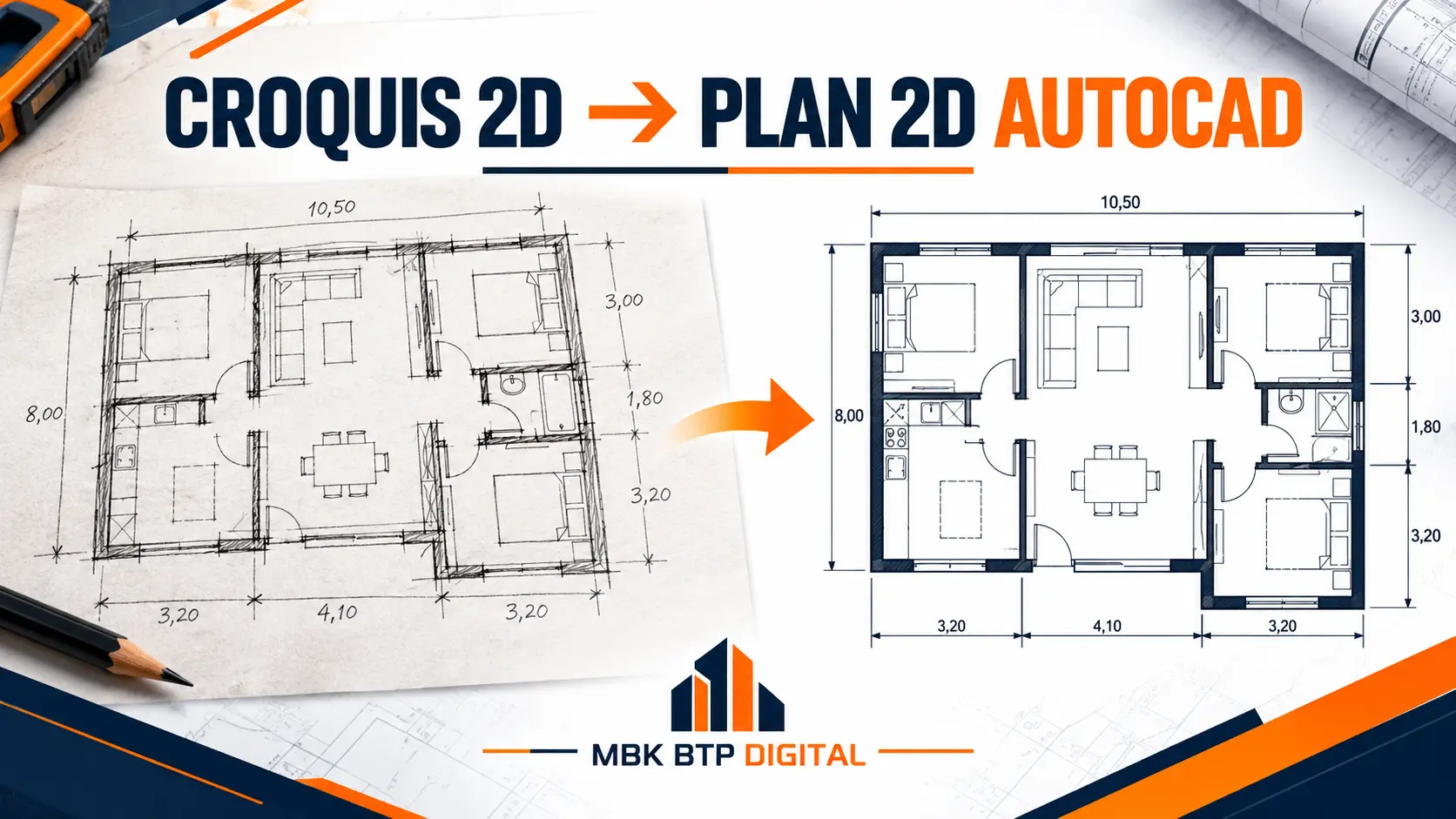
01 · 2D drawing
Sketch or PDF
to AutoCAD drawing.
Cleanly redraw an existing plan and organise the drawing according to the dimensions and instructions you provide.
Your starting point
- Dimensioned sketch, scanned paper drawing, PDF or legible image.
- Units, available dimensions and at least one reference dimension.
- Number of levels, area and details to reproduce.
The deliverable to agree
- Editable 2D drawing in DWG format and PDF export, as per the quotation.
- Layers, dimensions, scale and title block adapted to the request.
- List of points to clarify when the source is incomplete.
To scope the quotation: specify whether you expect an identical redraw or modifications. Missing dimensions and design choices must be clarified before the drawing is validated.
How to prepare a sketch for AutoCAD?
Describe my AutoCAD drawing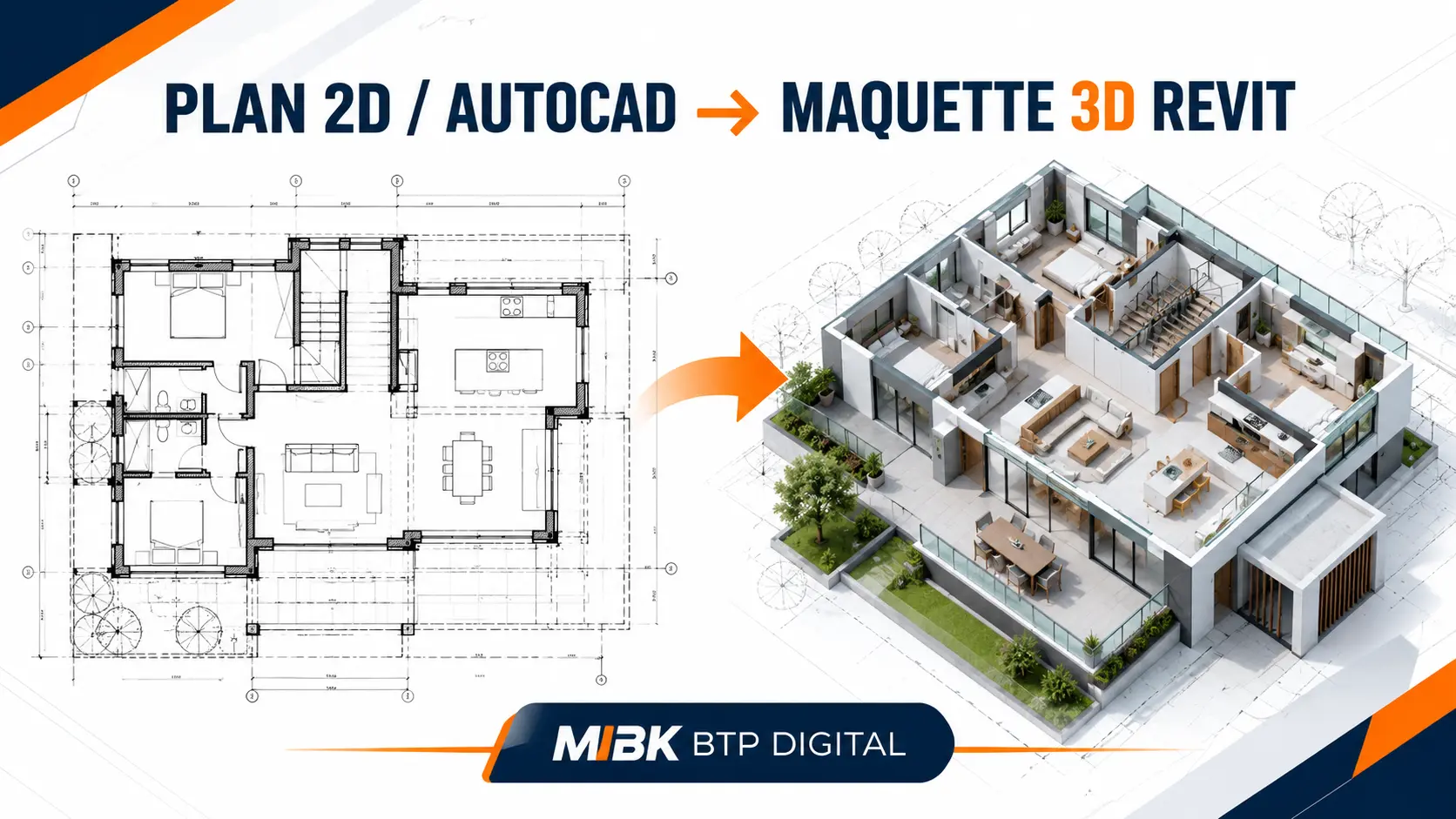
02 · Modelling
2D drawing
to Revit model.
Build a 3D representation from the project's drawings and information. The content of the model depends on its intended use.
Your starting point
- DWG or PDF drawings, usable levels and dimensions.
- Available sections, elevations and material information.
- Objective: visualisation, coordination or data extraction.
The deliverable to agree
- Revit version and requested RVT, IFC or PDF files.
- Work packages concerned and level of detail and information.
- Views, drawings, schedules or quantities to include in the quotation.
To scope the quotation: state the work packages to model and the recipient's software. A 3D view, an editable model and an execution file are different deliverables.
Describe my Revit model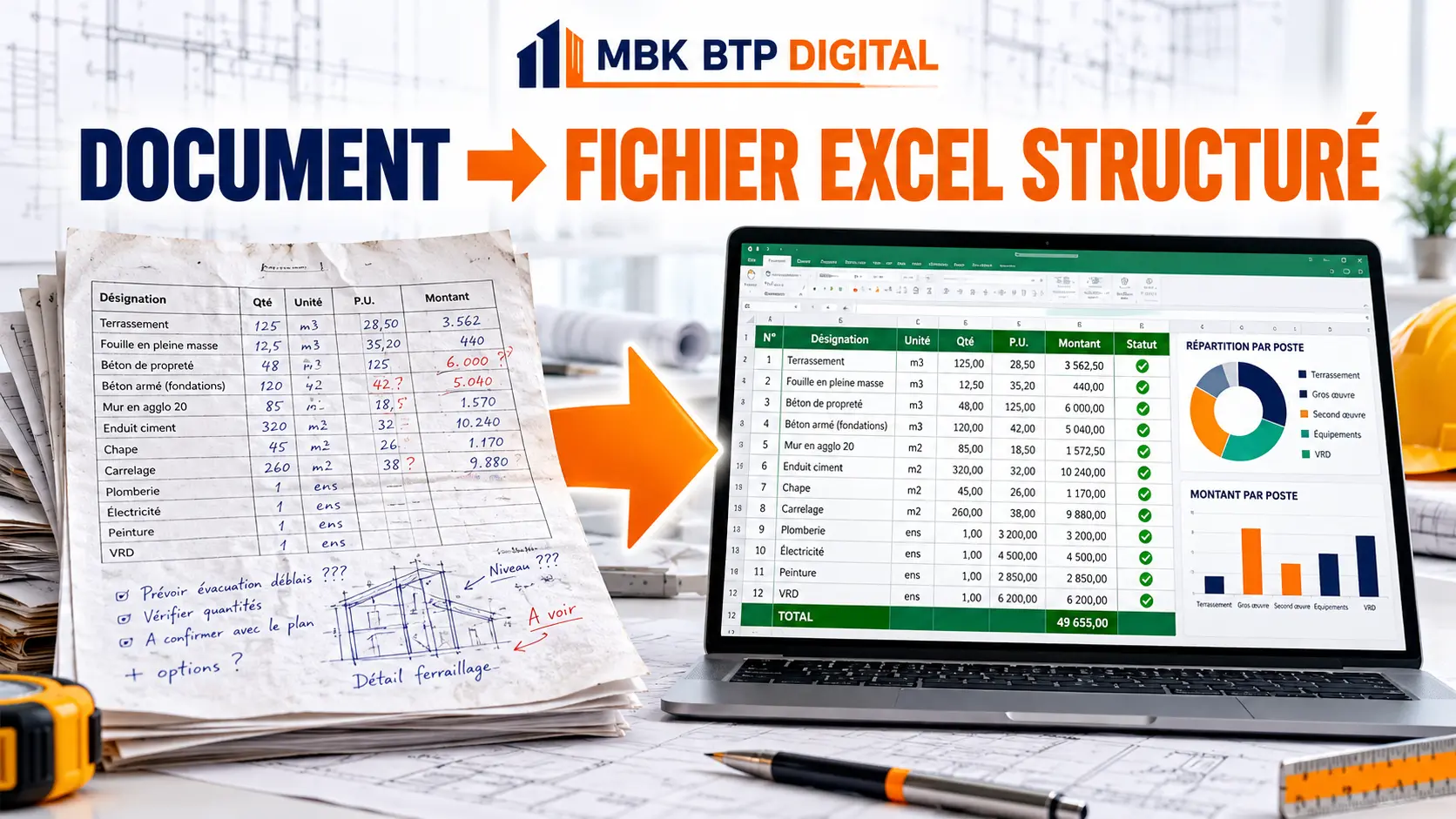
03 · Data and tables
Documents and lists
to structured Excel.
Gather and organise your information to make it easier to read, update and track.
Your starting point
- PDF or Word documents, lists, records or existing Excel files.
- An anonymised example and the approximate number of pages or lines.
- The columns, groupings and results you need.
The deliverable to agree
- Organised Excel table and agreed file format.
- Requested cleaning, groupings and total checks.
- Formulas, indicators and usage instructions as set out in the quotation.
To scope the quotation: state your Excel version and whether you expect a simple table, calculations or a dashboard. The legibility of the sources is reviewed before the scope is set.
Describe my Excel needA clear framework
Four steps to move forward.
- 01
You describe the need
An anonymised example, the expected result and useful constraints.
- 02
We scope the quotation
Scope, price, timeframe, formats and revisions are specified.
- 03
You approve the framework
Work begins under the terms of the accepted quotation.
- 04
You receive the deliverables
The agreed files and revisions are delivered within this framework.
Prepare your request
One example.
One clear objective.
Prepare your message opposite, then choose email or WhatsApp to send it. You can attach your files in the application you choose.
Before sending
- Hide names, contact details and confidential information.
- State the expected result, not just the desired software.
- The source documents will be reviewed to confirm the quotation.
Prefer to write directly?
contact@mbkbtpdigital.com
Write on WhatsApp
Support Monday to Saturday, 9 am to 6 pm, Morocco time.
Review your message
The final sending takes place in your application. Remember to add your attachments.
Need already covered?
A ready-to-use template may be enough.
Compare MBK Pilotage Chantier, the three Excel templates and the custom services before choosing.